WordPress logoGoogle reviews WordPress plugin

Embed Google reviews on your WordPress site

The free Grades Reviews plugin puts your Google reviews on any page with a block or a shortcode.

Available as a download

Add Google reviews to WordPress

  1. Install the plugin

    Download the zip from this page. In WordPress, Plugins > Add New > Upload Plugin, choose the file, then Install Now and Activate.

  2. Paste your key

    Settings > Grades Reviews: paste your publishable key and save. The page says "Connected to ..." when it works.

  3. Add a widget

    In the block editor add the Grades Review Widget block and pick the widget, or paste the shortcode below where shortcodes run. The plugin also adds a sidebar widget.

Shortcode: your Google reviews carousel

[grades_widget preset="carousel" sites="google" theme="auto"]

Good to know

  • Themes that strip scripts can use iframe="1" on the shortcode (inline widgets only).
  • A site with a strict Content-Security-Policy allows https://app.grades.com for scripts and frames.
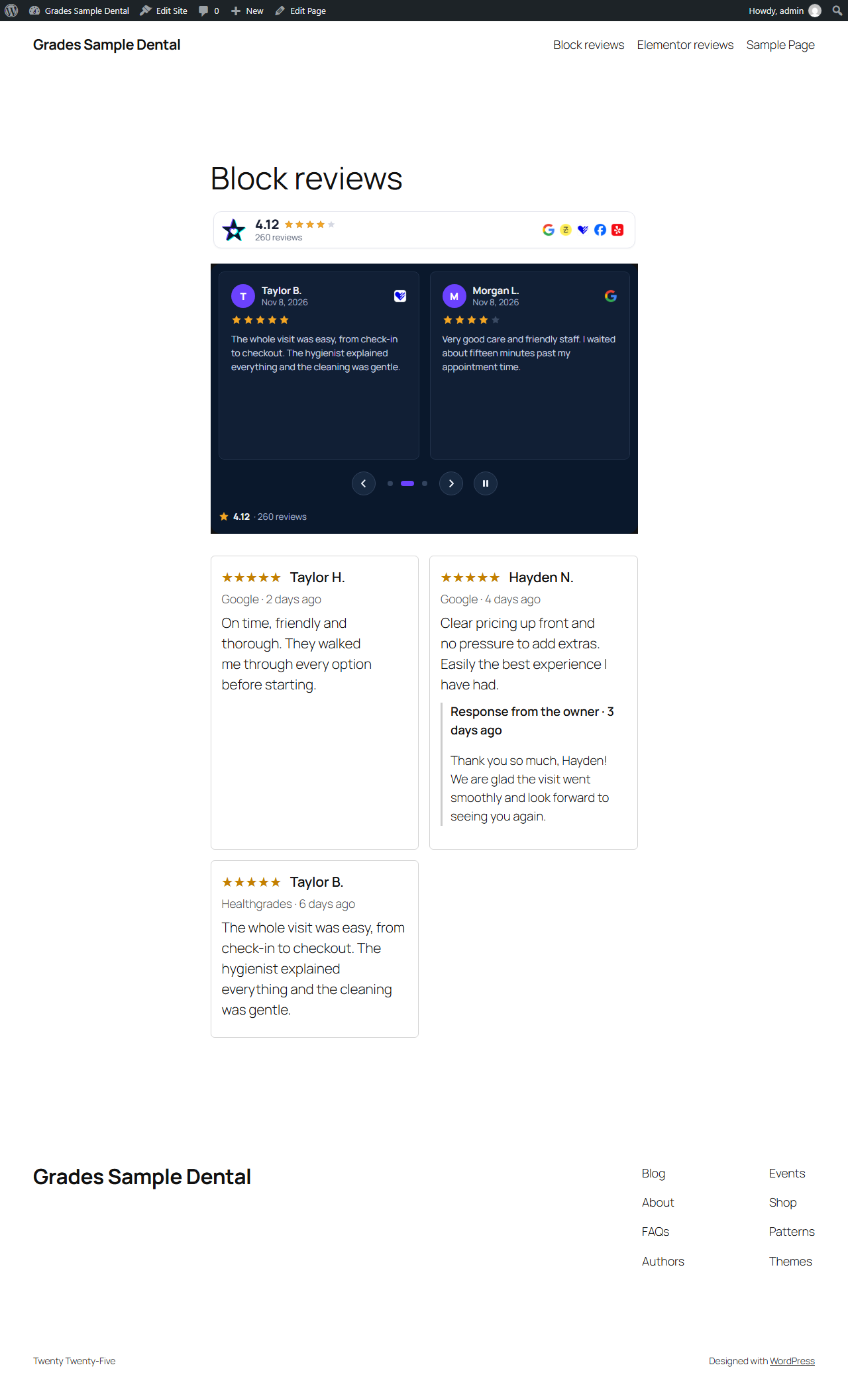
A WordPress page with the Grades Review Widget block: the rating strip and a dark carousel.

WordPress Playground

Try the plugin in your browser

A demo WordPress site opens with the plugin and every widget on a fictional dental practice. Nothing to install. Version 1.6.2. Also submitted to the WordPress.org plugin directory and in review there; once it is listed, updates come from WordPress.org.

  • WordPress logoGrades Reviews pluginActive
  • Google logoGoogle reviews carouselLive
  • Rating badge in the sidebarLive

Every widget layout works in WordPress

This carousel is live, with Google as the only site.

  • GridCards side by side, all visible at once.
  • List with repliesOne review under the other, your reply beneath it.
  • Spotlight quoteOne large review at a time, beside a booking form.
  • Floating badgeYour rating in a corner of every page.
  • Lobby wallLarge reviews that scroll on a waiting-room screen.

Widgets with AI summaries, filters and your brand

  • AI summary on top

    One line above your reviews sums up what customers mention most.

  • Filters for visitors

    Visitors switch between sites, pick a star rating and sort by newest.

  • Your brand, your style

    Set your color, font, corners and card style to match your site.

  • Reviews in your visitor's language

    Reviews are translated for each visitor, with See original one tap away.

Frequently asked questions

Is the plugin free?

Yes. The plugin is free. It uses a publishable key from your Grades.com account, on every plan from Starter.

Which blocks and shortcodes does it add?

The Grades Review Widget block and [grades_widget] for every widget layout, [grades_reviews] and the Grades Reviews block for a list of reviews, [grades_showcase] for a showcase, and a sidebar widget.

Can it show reviews from other sites?

Yes. Set sites="google,facebook" or any site you connect, on Pro and Premium. Starter shows Google reviews and reviews left on Grades.com.

Is the key secret?

No. The plugin uses a publishable key that can only read what your widgets show; it cannot change anything.

Bring your Google reviews to your WordPress site

14-day free trial of Pro, no card needed.