Answers questions
Reviews, ratings, trends, competitors and AI Reputation, across every location you belong to.

Connect your AI
Starter and upAdd one URL to Claude, ChatGPT or Cursor, sign in, and ask about every review site in plain language.
https://mcp.grades.com/mcp
14-day free trial of Pro, no card needed.
 Claude
 ChatGPT
 Cursor
Which 1 and 2 star reviews from this week still need a reply?
Two: a 2-star Google review at Eastside about wait times, and a 1-star Facebook review at Downtown. Want drafts?
Yes, draft both. I'll check them first.
Both drafts are in your approval queue. Nothing is posted until you approve.
Reviews, ratings, trends, competitors and AI Reputation, across every location you belong to.
Drafts replies, clears the agent's queue, connects a review site, builds a review page.
The MCP server for AI clients, a REST API with secret keys for your own code, signed webhooks for events.
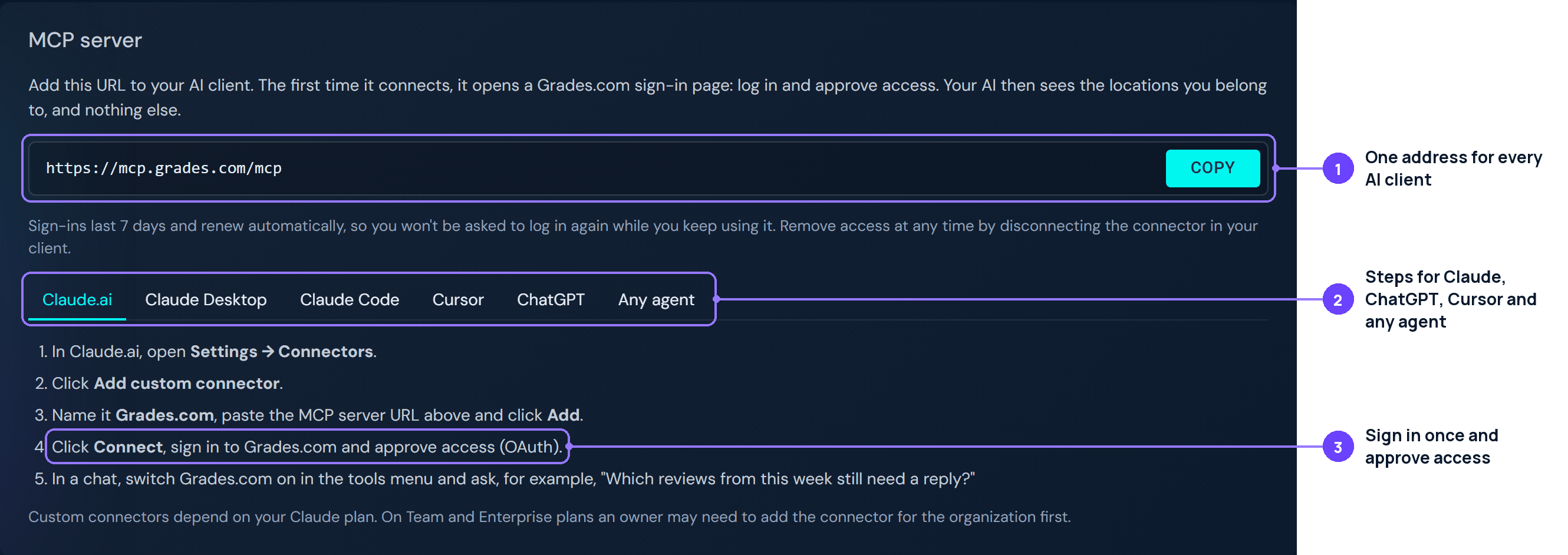
Paste https://mcp.grades.com/mcp into your client's connectors.
Your client opens a Grades.com sign-in page. Approve the access it asks for.
"How did all our locations do last month?" Your AI picks the right tool.
Set up grades.com in this assistant.
1. Add the grades.com MCP server: https://mcp.grades.com/mcp (Streamable HTTP, OAuth 2.1). Sign in to grades.com when prompted and approve the scopes it asks for.
2. If this client cannot do OAuth, use an API key from https://my.grades.com/connect as a Bearer token instead.
3. Once it is connected, call plan_overview, then reviews_summary_period for the last 30 days, then agent_actions and recovery_cases.
4. Show me what needs my attention: pending approvals, new negative reviews and open recovery cases.
Docs: https://www.grades.com/developers
Run this, then type /mcp, pick grades and choose Authenticate:
claude mcp add --transport http grades https://mcp.grades.com/mcp
For Business, Enterprise and Edu (Pro: read-only). Other plans: the Grades.com plugin Coming soon
Add a server in Cursor Settings under MCP, or put this in ~/.cursor/mcp.json, then click the server to log in:
{ "mcpServers": { "grades": { "url": "https://mcp.grades.com/mcp" } } }Connect any of these from your dashboard. Google is on every plan; the other 53 come with Pro and Premium.
reviews:read, reviews:write, companies:read, companies:write, directory:read.https://app.grades.com/api/v1 with secret keys, 120 requests a minute per key, and signed webhooks.From Starter up. Your AI can do what your plan includes: Starter covers Google reviews, Pro and Premium every site.
API reference →14-day free trial of Pro, no card needed.
Product names and logos are trademarks of their owners; no endorsement implied.


